Prayer times
Accurate times, multiple methods, adhan reminders.

Prayer times, a true-north Qibla, morning and evening azkar, duas, your daily tracker and tasbeeh — held together in one calm, considered place.
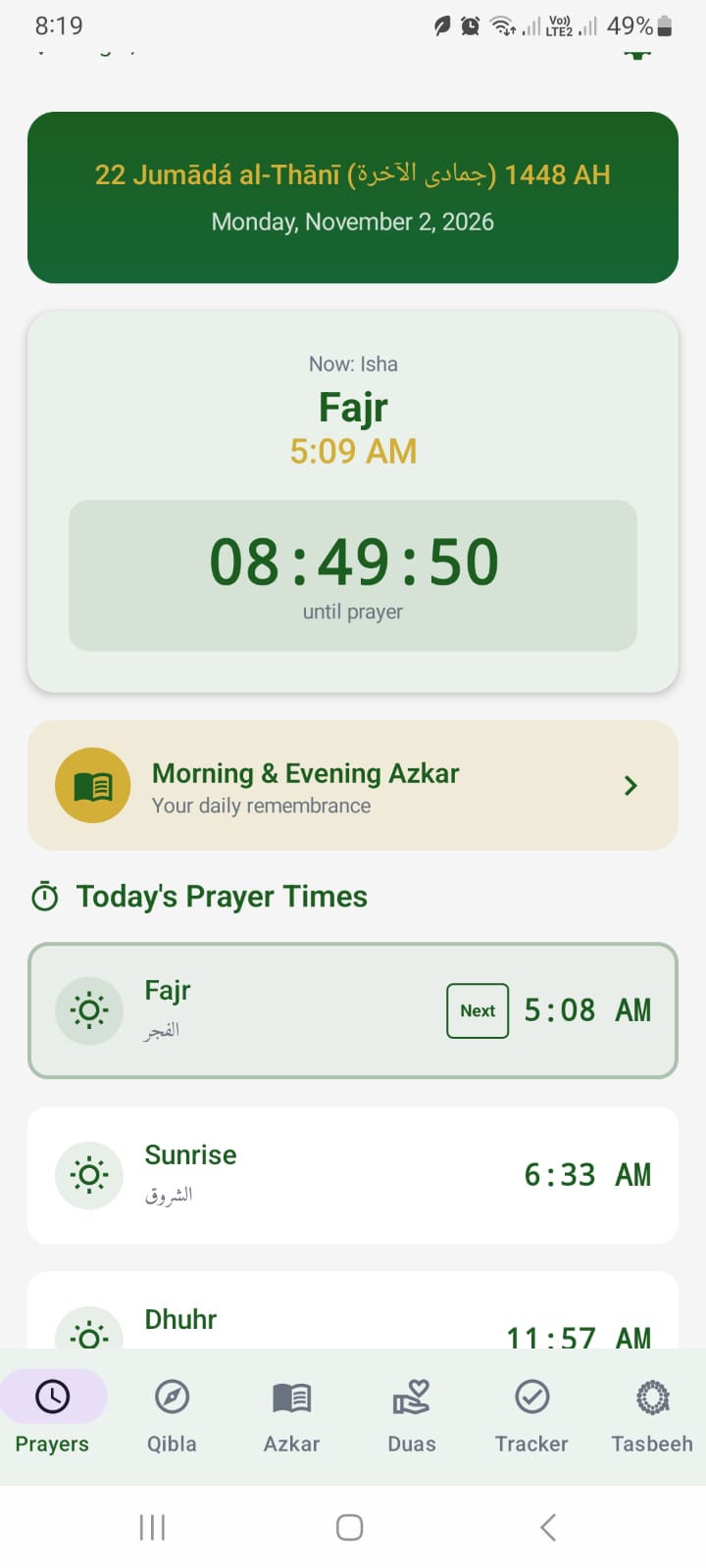
Designed to feel like one continuous practice, not six separate apps.
Accurate times, multiple methods, adhan reminders.
Compass, arrow, map and AR — with true-north accuracy.
Morning, evening and daily-life duas in eight languages.
A gentle daily record and a tactile dhikr counter.
Locating your city…
Approximate location from your network
Approximate times based on your network location. For exact times, set your location in the app.
No setup maze. Open Fajro, let it find your city, and begin.
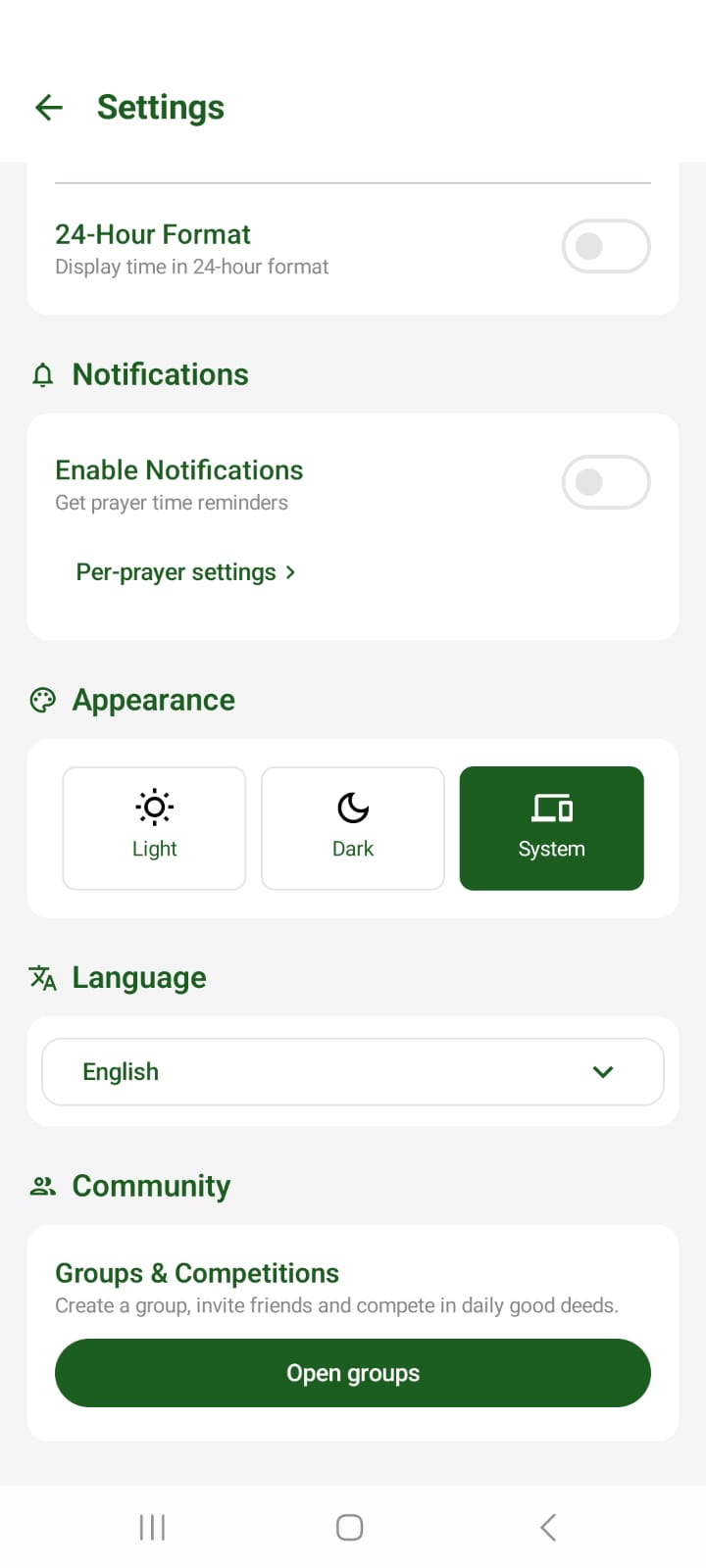
Choose your language, theme and calculation method. Fajro remembers it.
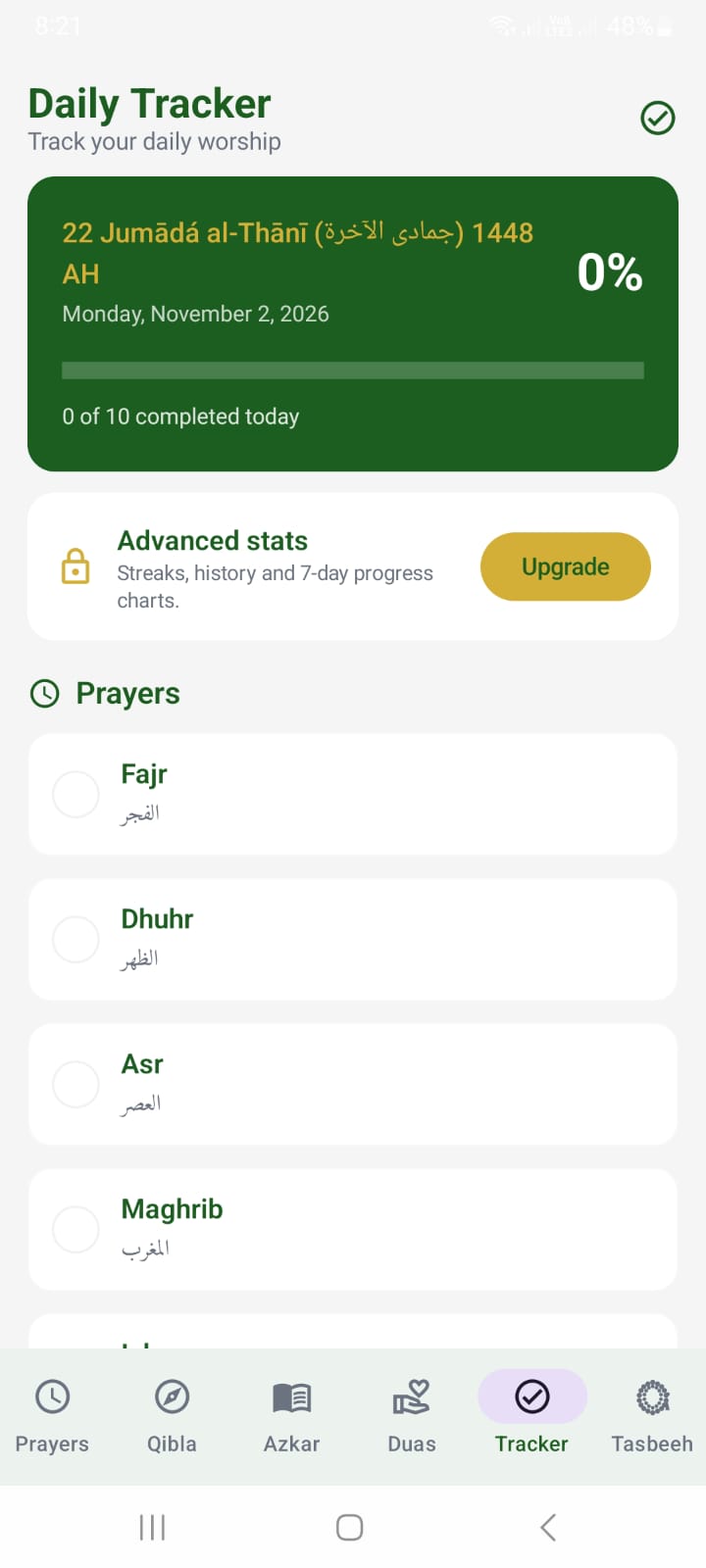
Track prayers, Qur’an, azkar and duas. Gentle streaks, no guilt.
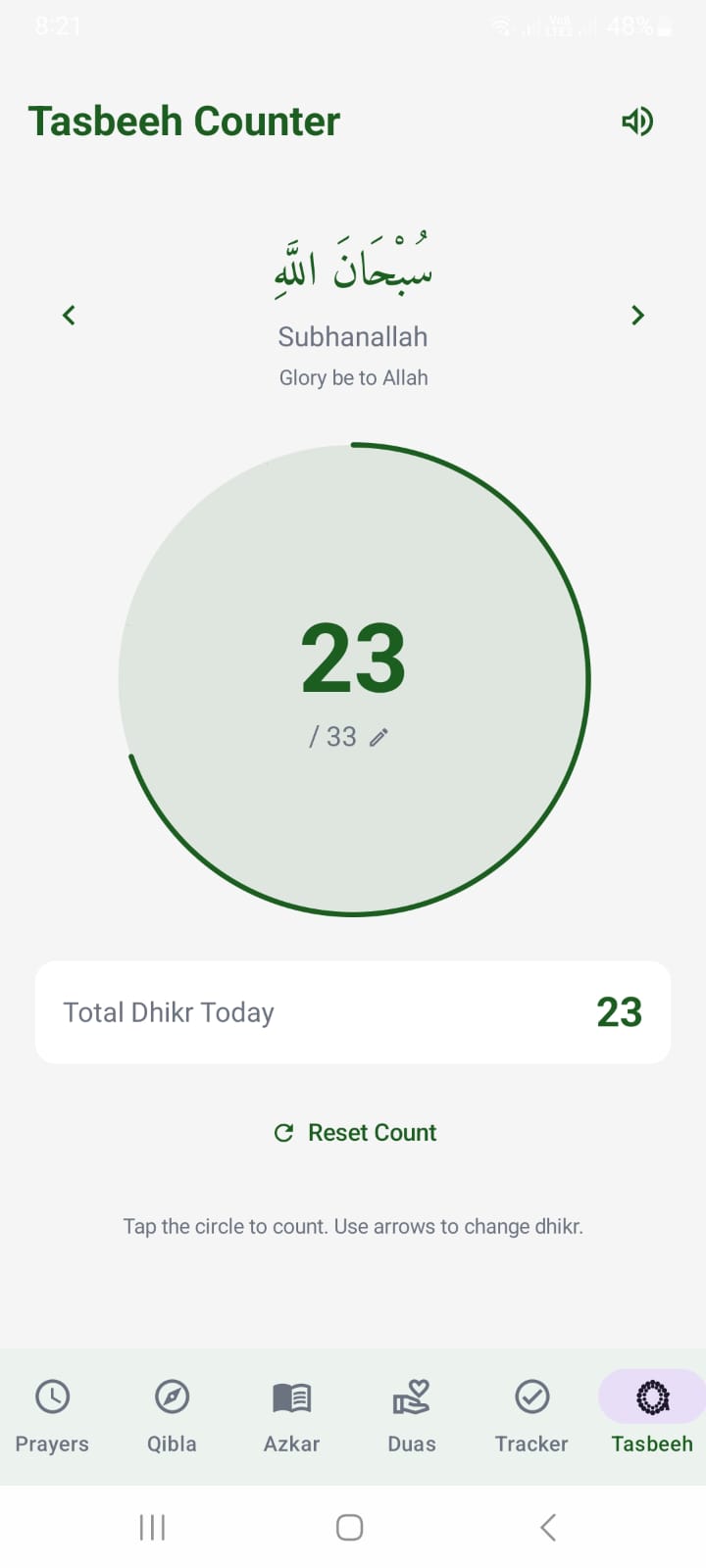
Count dhikr, open a dua, and return to the next prayer. One calm loop.
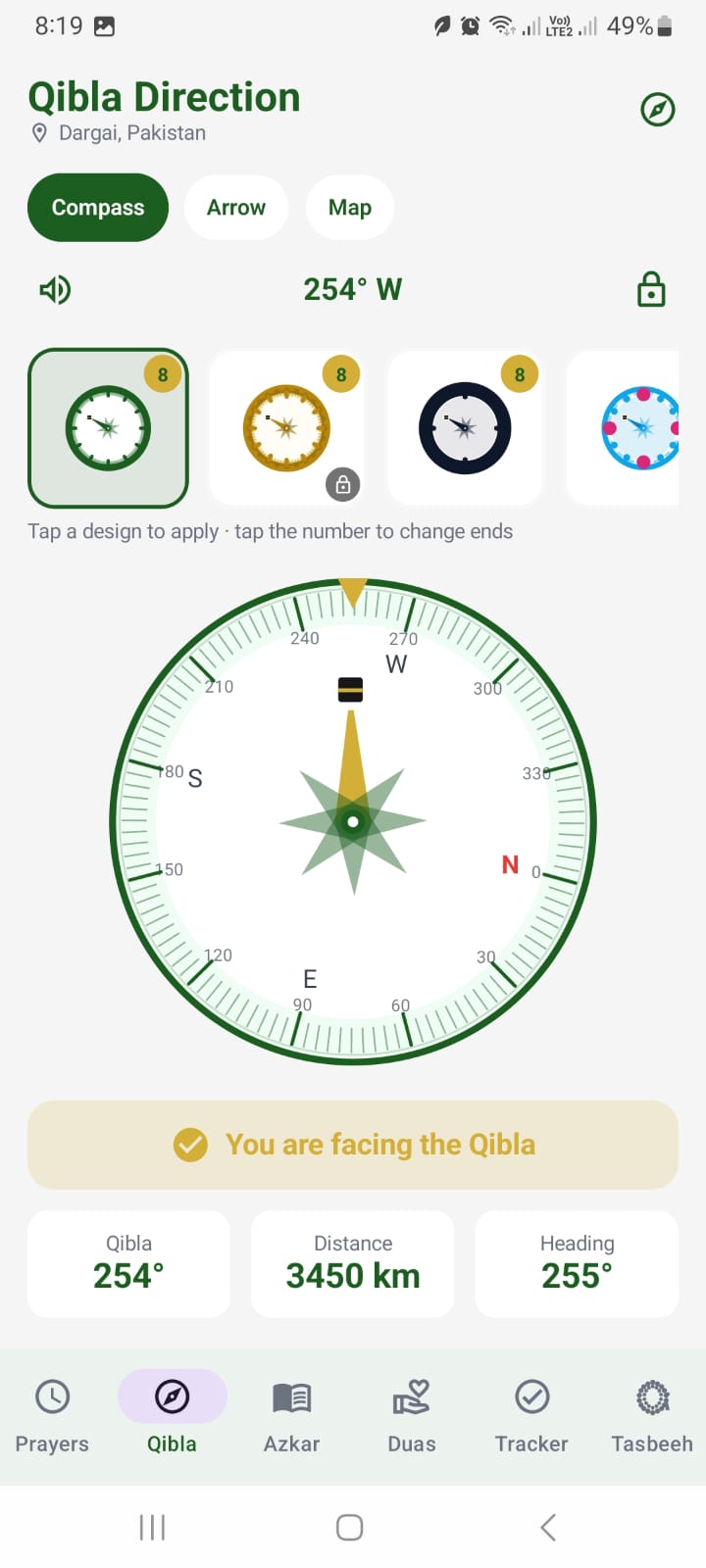
True-north bearing, magnetic declination correction, and a fine-tune control to align with your local mosque.
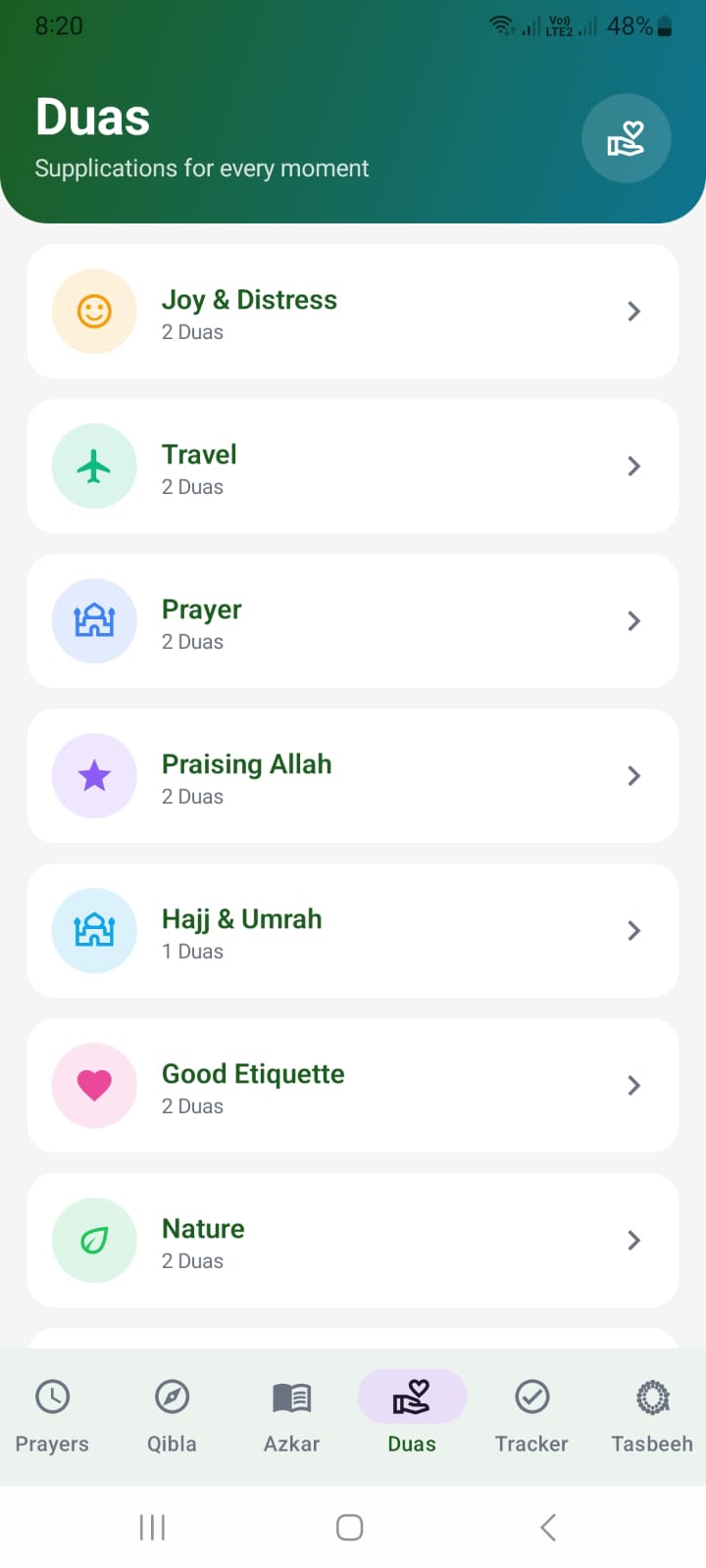
Morning and evening azkar, plus 40 daily-life duas — with translations in English, Urdu, Arabic, French, Spanish, Turkish, Hindi and Bengali.
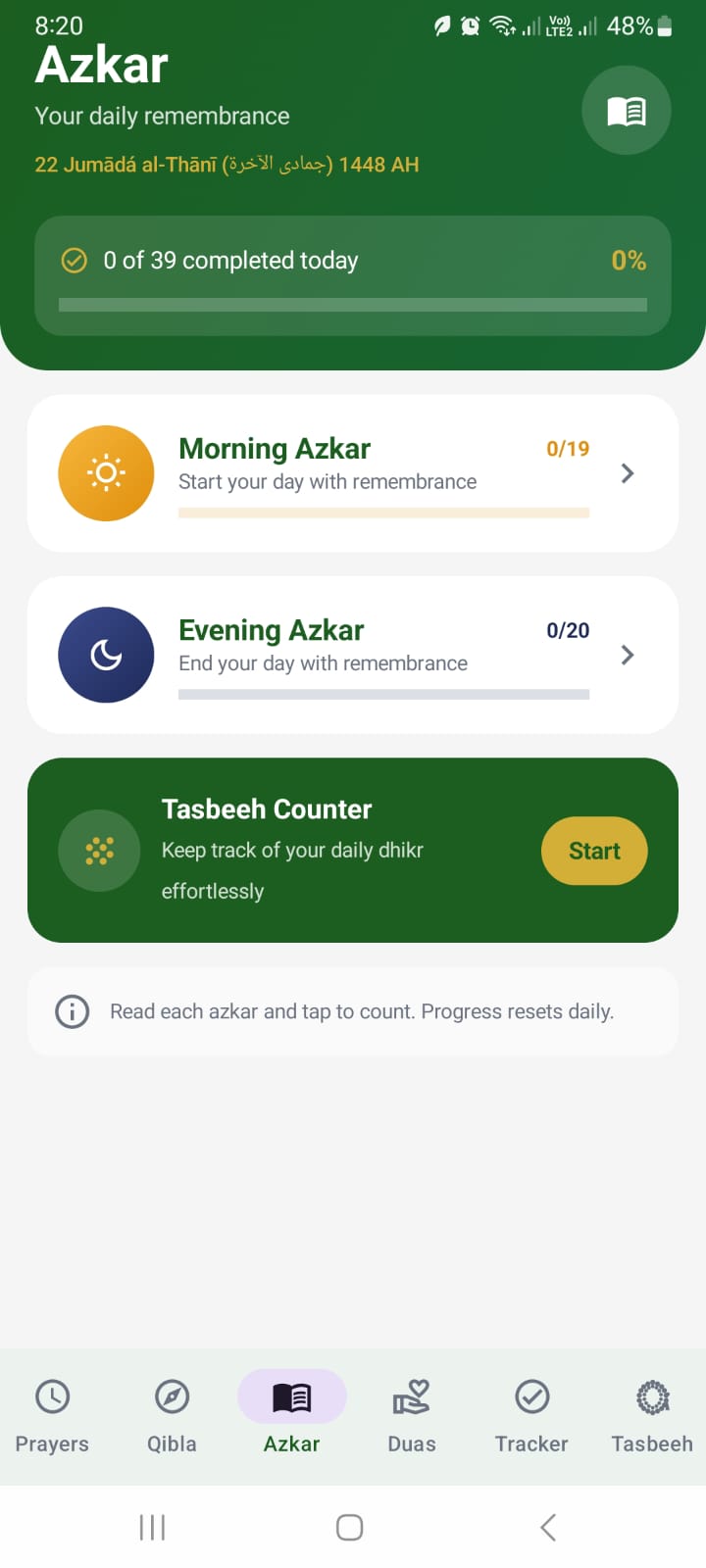
Log the five prayers, Qur’an, azkar, duas and tasbeeh. See a calm streak, open your stats, and keep the next moment close.
Premium is for the parts of the practice that ask for more: more ways to find the Qibla, more insight into your week, more room for community.
Five styles, 2–8-ended roses and a live AR view.
Streaks, seven-day history and exportable stats.
Private groups, invite codes and weekly leaderboards.
More notification sounds and a home-screen widget.
Carry your settings and progress to a new device.
Monthly or yearly through Google Play. Cancel anytime.

Free to download. Premium optional. No ads, ever.
Yes. Prayer times, Qibla, azkar, duas, the tracker and tasbeeh are free. Fajro Premium adds exclusive Qibla styles and AR, advanced stats, groups, cloud sync, adhan tones and the widget.
Fajro uses recognised solar calculation methods and lets you choose your method and Asr convention. Times can differ slightly by method, elevation and local practice — verify with your local mosque.
It uses an approximate IP-based location lookup (ipwho.is) to show prayer times nearby. It does not request precise location and does not store it. For exact times, set your location in the app.
Prayer times, Qibla, azkar, duas, tracker and tasbeeh work on-device. An internet connection is only needed for the map, account, sync and groups.
No. The core experience works without signing in. An account is only needed for Premium, cloud sync and groups.
Open Settings → Account → Delete account in the app, or visit fajro.app/delete-account. You can also email privacy@fajro.app.
English, Urdu, Arabic, French, Spanish, Turkish, Hindi and Bengali — including azkar and dua translations.